Expert AI Prompts
Voice DNA Light v1.1

AI Business Documents in Hours — From One Fifteen-Minute Voice Interview

Most business documents are the same facts written eleven different ways. Voice DNA Light captures those facts once — you talk, it listens — and turns them into a capability statement, business proposal, quote template, business model canvas and seven more, each written in your voice. It runs on the free versions of Gemini, ChatGPT, Claude and Qwen, and a first-time user finishes their first three documents in one sitting.

1

Interview — talk for fifteen minutes

Copy the prompt, dictate or type your answers in your AI app (the Claude desktop app has built-in dictation), then paste the whole reply back here. Anything you skip is recorded as [VERIFY], never invented.

Who this DNA is for

One segment per DNA file. Run the interview again for a second segment.

Step A — copy the interview prompt

Fourteen questions, one at a time, about one minute each. Paste it into Gemini, ChatGPT, Claude or Qwen (free accounts are fine) and answer by voice or by typing.

Step B — paste the AI's full reply

0 characters

Step C — check and export

The .txt is the file Tab 2 reads. It keeps your transcript and the machine data block together, in the same layout as the full Voice-DNA System, so it also loads in the full tools later.

Removes the interview paste, the DNA and the Project Brief inputs this browser remembers.
2

Decisions and Google Lookups

Two short AI runs on a free account. First settle the open decisions the interview raised; then let your AI answer up to twenty lookup questions and file every answer against its question.

Load your DNA file from Tab 1

3

Documents — eleven prompts, one AI run each

Load your Level 2 file, press a button, copy the prompt, paste it into your AI and save the document it writes.

Load your Level 2 file to unlock the documents.

The Project Brief runs a full expert panel and needs three inputs. Include role titles in From and To — they decide whether the brief is written for endorsement or for issue. This browser remembers all three.

Prompt

0 / 14,000 characters

Paste into Gemini, ChatGPT, Claude or Qwen. Ask for the Word file; if the AI cannot make one, it delivers a single HTML file instead. Save the result with the document name.
How Voice DNA Light Works

Three tabs, one file between them. Nothing here needs a paid AI plan, and nothing uses the research features that lock free accounts out for hours.

1. Interview — talk for fifteen minutes

Fourteen questions, one at a time. Speak your answers; type any you would rather type. The interview covers what you do, who you do it for, what you have delivered, what is under pressure right now, and how you like to sound. Anything you skip is marked [VERIFY] rather than invented. The result is one small file — your light DNA — saved to your computer and remembered by this browser.

2. Decisions and Google Lookups — two standard chat runs

Your DNA will contain a few open questions: which segment to lead with, which proof to put first. Tab 2 turns those into a short multiple-choice list you answer in a minute. Then it builds up to twenty lookup questions — competitors, pricing, channels — for your AI to answer in one standard chat run. Paste the reply back and the tab files every answer against its question. Two AI runs, both on a free account, about ten minutes in all.

3. Documents — eleven prompts, one AI run each

Load your file, press a button, copy the prompt, paste it into your AI, save the document it writes. Ten of the eleven are a single run. The Project Brief is the exception — it runs a full expert panel because a brief gets challenged by whoever receives it.

This is the light edition of the Voice-DNA System. Same method, one file instead of four, hours instead of months.
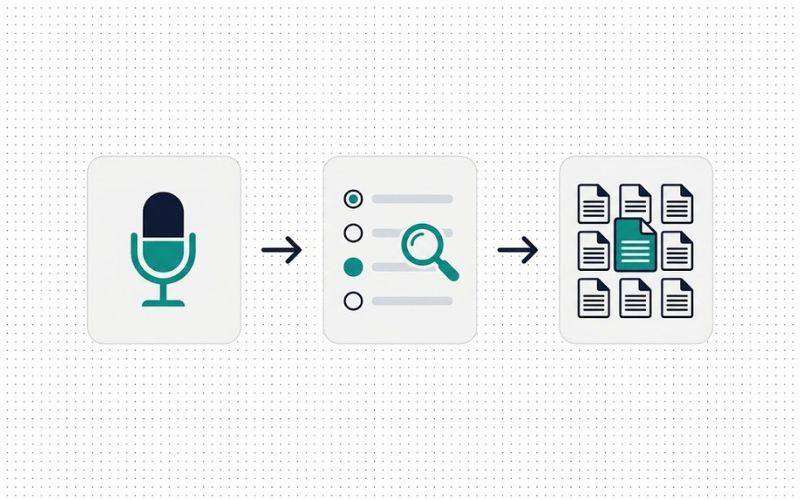
Three-step diagram of the Voice DNA Light workflow: interview, decisions, documents
Interview → Decisions and lookups → Documents

The Eleven Business Documents

The first three are the ones people search for with a deadline. Start there.

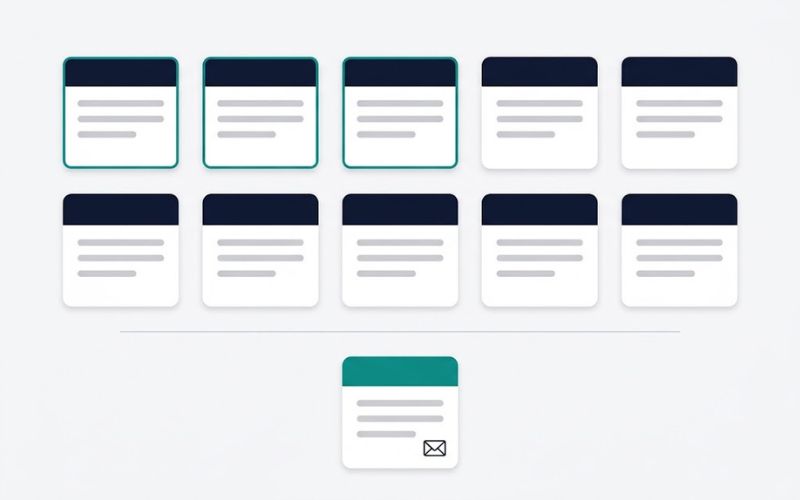
Grid of eleven business document cards with capability statement, proposal and quote highlighted
Eleven business documents — the three you need first are marked

Capability Statement (with company profile)

Also called: company profile, about us

The document Australian buyers and tender panels ask for first. Opens with your company profile, then contact details, track record, and the capabilities that matter to the segment you chose — in bullet points a busy evaluator can read in two minutes.

Business Proposal

Also called: proposal template, executive summary

Leads with an executive summary, because that is the page most clients read. The proposal draws its proof points and pricing language straight from your DNA and your Tab 2 decisions, so it sounds like you, not like a template.

Quote Template

Also called: quotation, fee proposal

Your terms, inclusions, exclusions and validity period, then a clean quote table. Built in two passes inside one prompt so the wording is settled before the numbers go in.

Business Model Canvas

Also called: BMC, the nine building blocks

The nine building blocks on one A4 landscape page — the same tested layout the full Super AI Prompt Creator produces, filled from your DNA and segment.

Value Proposition Canvas

Also called: VPC, customer jobs, pains and gains

The companion to the canvas: your customer's jobs, pains and gains on one side, your products, pain relievers and gain creators on the other. The interview's "who we serve" answers feed it directly.

Mission and Vision Statement

Also called: mission statement, vision statement, values

Short, specific and yours. The prompt insists your three proof points and your segment's top concern appear in the statements, which is what stops them reading like everyone else's.

Competitor Analysis

Also called: competitive analysis, side-by-side comparison

A side-by-side table — the format the market actually uses — covering market share, pricing, customer reviews, channels, product features and indirect competitors. The Tab 2 lookups supply the facts; the document supplies the judgement.

Marketing Plan

Also called: marketing strategy, content and social plan

Target audience, positioning, an action plan, a financial plan and the strengths and weaknesses a plan should be honest about. Content and social channels are sections, not separate documents.

Elevator Pitch

Also called: sales pitch, 30-second pitch

Written for a business owner at a networking event, not a job seeker in a lift. Three versions — ten seconds, thirty seconds, two minutes — each ending in a call to action.

SWOT Analysis

Also called: SWOT matrix, action plan

The matrix, then what to do about it. Every SWOT here ends with an action plan, because a matrix on its own is a poster, not a decision.

Project Brief

Also called: project charter, project initiation document, PID

For a real internal project — a new service, a system, an expansion. Add who it is from, who it is to, and the background, and the page runs a full expert panel: draft, challenge, edit. You get the brief for issue and a short presentation for the person receiving it.

Built for Free AI Accounts

Works on Gemini, ChatGPT, Claude and Qwen

Every prompt is sized to fit a free account's context window and daily allowance, and the page shows a character count before you copy. If one account hits its limit, paste the next prompt into another — the file is the memory, not the chat. Gemini is recommended for the Tab 2 lookups; any of the four handles the documents.

What stays in your browser

This browser remembers your DNA file, and the From, To and Background you type for a Project Brief, so you never re-enter them. It never stores the prompts or the documents your AI writes. On a shared computer, use Clear saved data before you leave.

Light Now, Full System When You Need It

Voice DNA Light is free and complete on its own. When one file and eleven documents stop being enough — when you need four DNA files, research-backed decisions, the full Super AI Prompt Creator library and a growth pathway — the Voice-DNA System is the same method at full depth, and your light DNA is the first thing it asks for.

Frequently Asked Questions

What business documents can I create with Voice DNA Light?

Eleven: a capability statement with company profile, business proposal, quote template, business model canvas, value proposition canvas, mission and vision statement, competitor analysis, marketing plan, elevator pitch, SWOT analysis and a project brief. Each is generated from the same fifteen-minute voice interview, so they agree with each other.

Does it work with a free ChatGPT or Gemini account?

Yes. Every prompt is sized for free-tier context windows and daily limits, and the page shows a character count before you copy. Nothing needs a paid research feature. If one account reaches its limit, paste the next prompt into a different free AI — your DNA file carries the context, not the chat history.

How long does it take?

The interview is ten to fifteen minutes. Decisions and lookups take about ten minutes including two AI runs. Most people finish their first three documents — capability statement, proposal and quote — in about an hour from the start of the interview, and all eleven in about ninety minutes.

What is a light DNA file?

A small JSON file, under 6,000 characters, holding what you said in the interview: what you do, who you serve, your proof points, current priorities and how you like to sound. It is scoped to one customer segment. Blank answers are marked [VERIFY] so nothing is invented.

Is my information stored anywhere?

Only in your own browser and only the inputs: your DNA file and the From, To and Background fields for a project brief. Nothing is sent to our servers, and the prompts and documents your AI writes are never stored. A Clear saved data link removes everything.

What is the difference between Voice DNA Light and the Voice-DNA System?

Light uses one interview and one file to produce eleven documents in hours, on free AI, with no research stage. The full Voice-DNA System uses four DNA files, research-backed decisions, the complete Super AI Prompt Creator library and a growth pathway, and takes weeks. Light is the on-ramp; the full system is the destination.

Can I use it for a council or government department?

This page is the company edition. A government edition with council documents — project brief, business case, briefing note, risk register, community engagement plan and project mandate — is being built separately at consultancydd.com/council-light/.

Resources